

Billing and Usage
Guide on managing your LlamaParse billing, usage tracking, and subscription plans.
LlamaParse is a subscription-based service. You can manage all billing and usage from Settings → Billing in your LlamaParse dashboard. For credit costs per product, see the Pricing page.
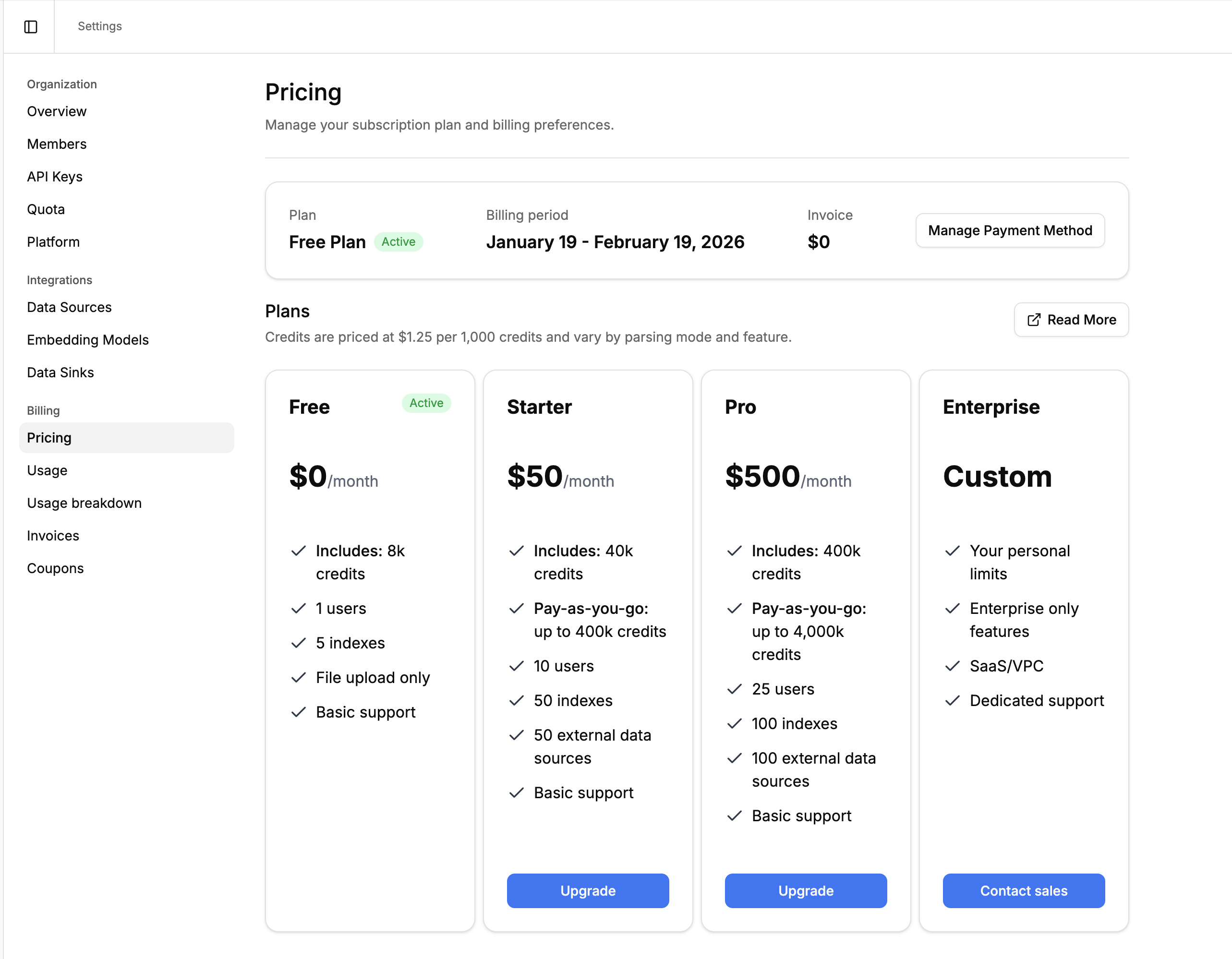
| Free | Starter | Pro | Enterprise | |
|---|---|---|---|---|
| Monthly credits | 10,000 | 40,000 | 400,000 | Custom |
| Price | $0/mo | $50/mo | $500/mo | Contact sales |
| Rate limits | 20 req/min | Standard | Standard | Custom |
| Support | Community | Priority | Dedicated |
All plans include access to every product (Parse, Extract, Classify, Split, Index). Plans differ in credit allocation, rate limits, and support level.
Upgrading
Section titled “Upgrading”To upgrade your plan:
- Click “Upgrade now” in the bottom left of your dashboard, or go to Settings → Billing → Pricing.
- Select the plan you want and enter payment details.
- Your new plan takes effect immediately.
Downgrading
Section titled “Downgrading”You can downgrade to the Free plan at any time from Settings → Billing → Pricing. Click on your current plan’s settings to access cancellation options.
What Happens When Credits Run Out
Section titled “What Happens When Credits Run Out”Behavior depends on your plan:
- Paid plans (Starter, Pro): Pay-as-you-go usage is enabled by default. When your included credits are exhausted, you can continue using the platform and additional credits are billed at the standard rate ($1.25 per 1,000 credits).
- Free plan: When credits are exhausted, API requests that consume credits will return a
402error (“You’ve exceeded the maximum number of credits for your plan”). Credits reset at the start of your next billing cycle. - Enterprise plans: Overage behavior is configured per contract. Contact your account manager for details.
Monitoring Usage
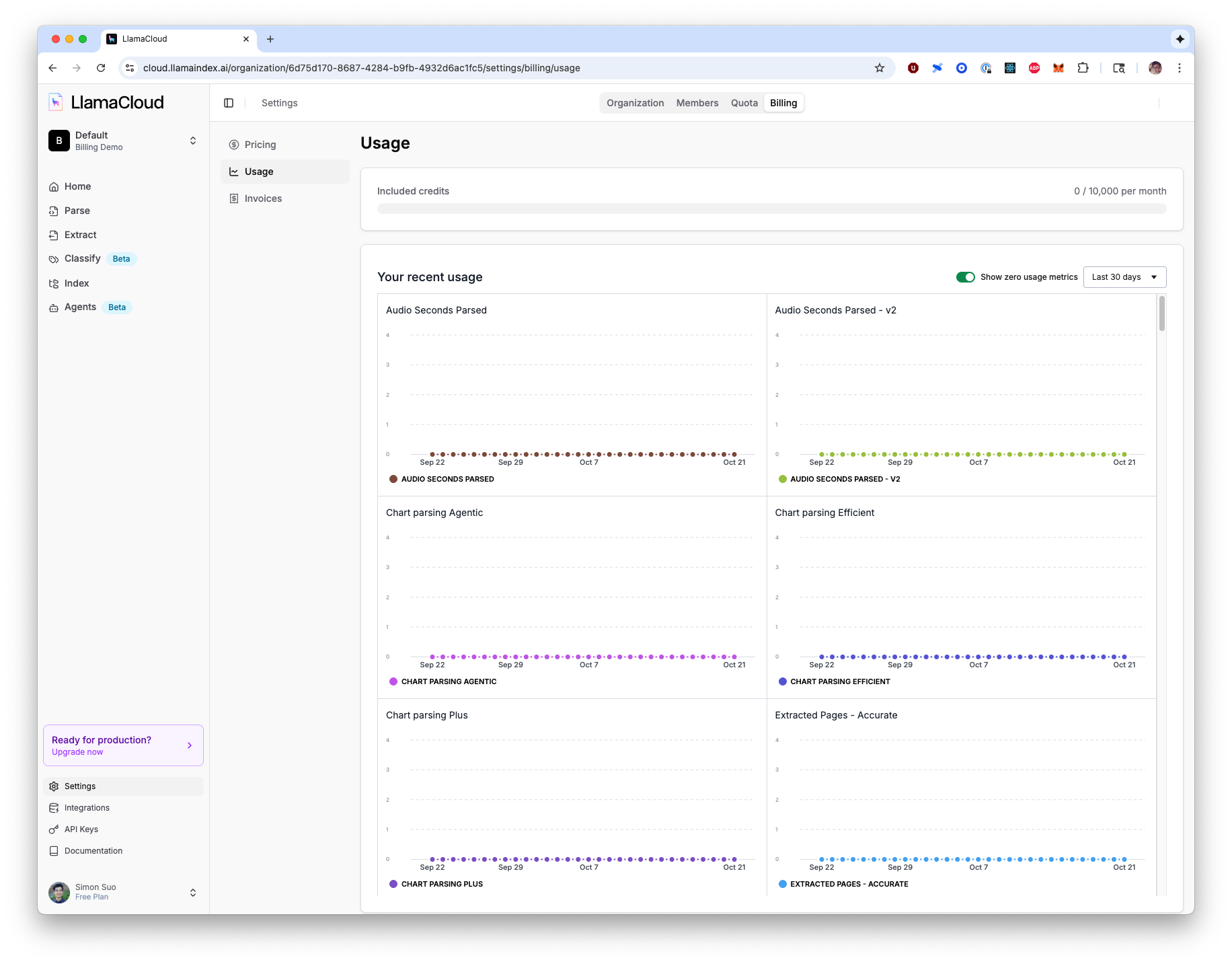
Section titled “Monitoring Usage”Navigate to Settings → Billing → Usage to view detailed usage analytics:
- Current credit usage against your monthly quota
- Usage breakdown by product and mode (Parse, Extract, Classify, etc.)
- Historical usage trends with interactive charts
You can also access real-time usage data via the API for programmatic monitoring.
For tips on reducing credit usage, see Cost Optimization Strategies on the Pricing page.
Invoices
Section titled “Invoices”Your complete invoice history is available in Settings → Billing → Invoices:
- All past invoices with dates and amounts
- Invoice status (Draft, Issued, Paid)
- Detailed billing periods
- Payment method management
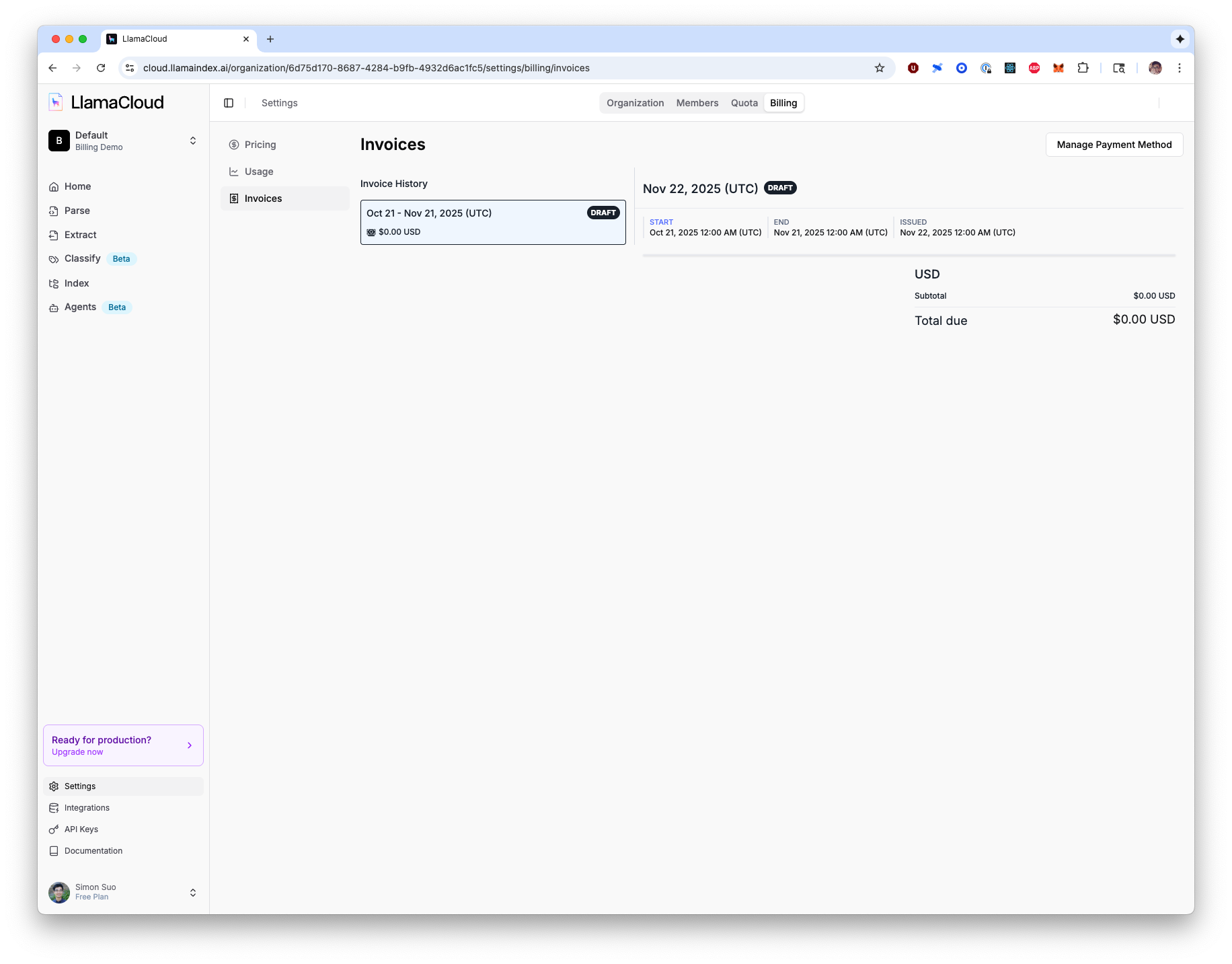
Each invoice can be downloaded or viewed in detail, showing exact breakdowns of your charges for the billing period.