Auto-Generate Schema for Extraction
LlamaExtract generates an extraction schema from a prompt and/or sample file, then lets you edit fields before running extraction (menu allergens example).
In this walk-through, we’ll take a look at not only extracting structured information from unstructured documents, but also coming up with the schema in the first place. LlamaExtract allows you to define extraction schemas via the SDK and the UI, but it also allows you to make use of an LLM to generate a schema for you.
This works by providing either a simple prompt describing the data you want to extract, providing an example file which you want to extract data from, or both.
Generating a Schema with an Example and/or Prompt
Section titled “Generating a Schema with an Example and/or Prompt”When creating an extraction configuration you have the option to provide:
- A file
- A short prompt
You don’t have to provide both, but to use the schema generation functionality, you need to provide at least one of these two.
In this example, we’ll be generating a schema for menus, and our aim is to extract not only the listed menu items, but also allergens and dietary restrictions, which may appear very differently from menu to menu.
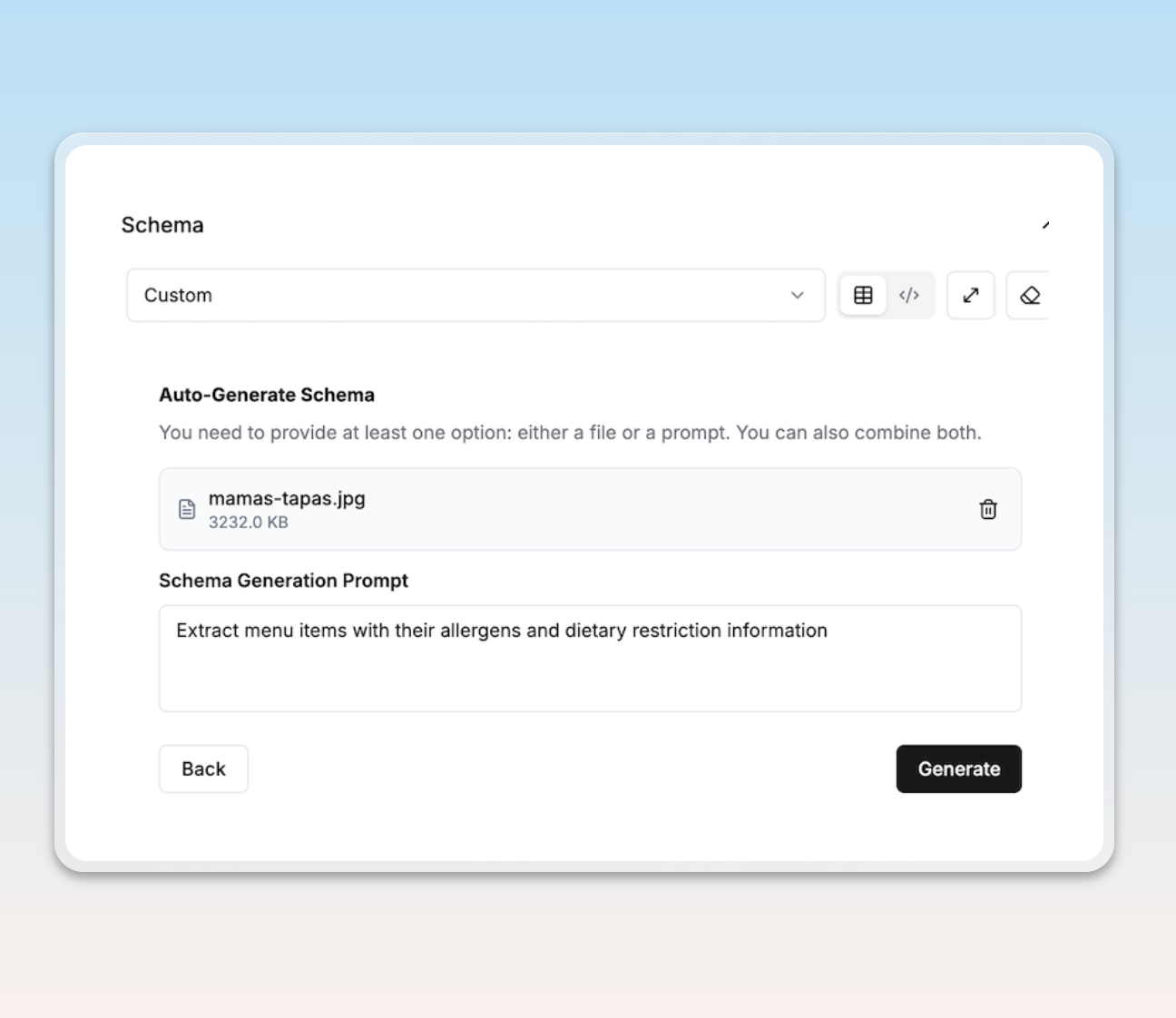
We start with the prompt Extract menu items with their allergens and dietary restriction information as well as an image of the menu:
Editing the Generated Schema
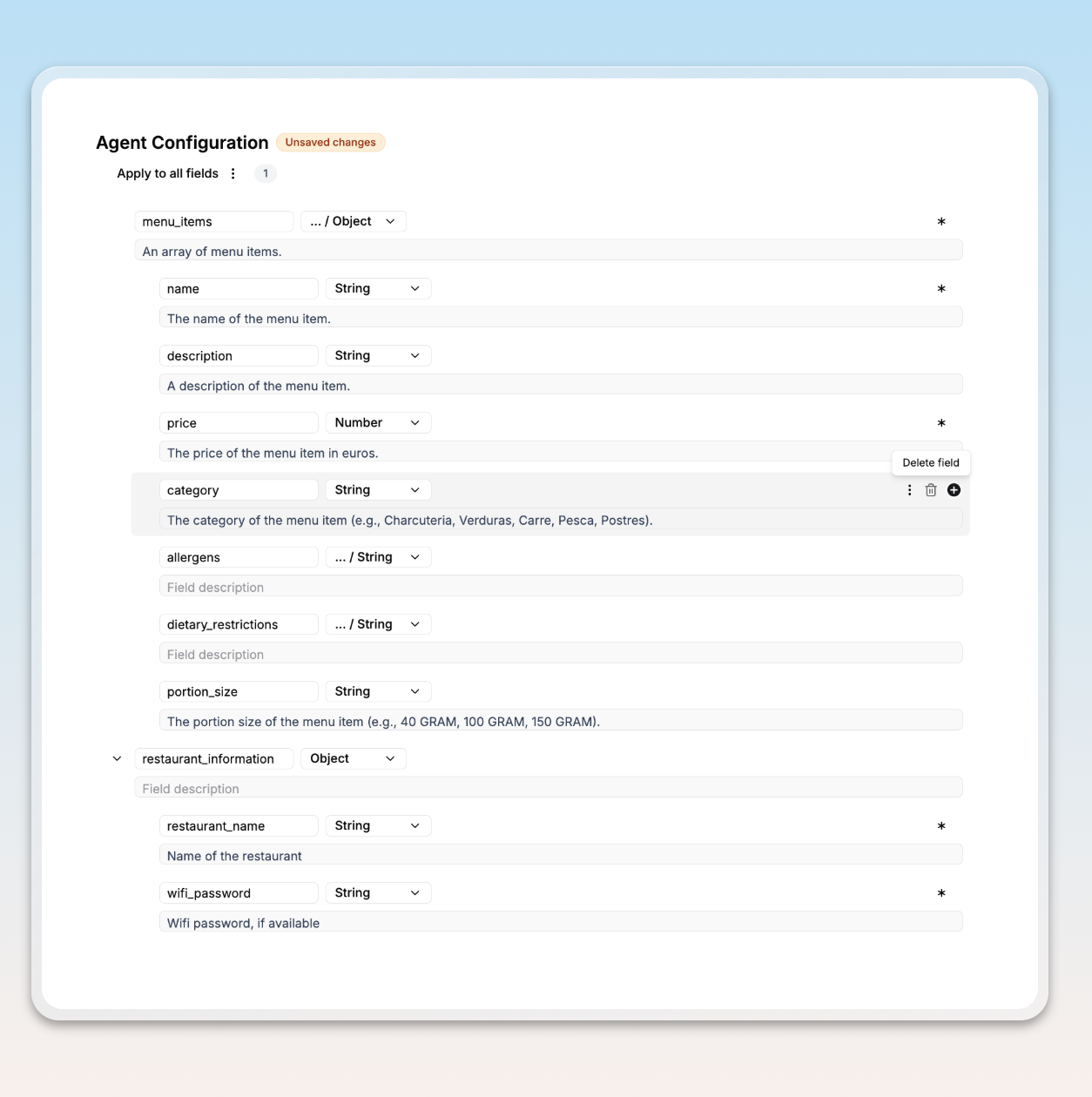
Section titled “Editing the Generated Schema”Once a schema is generated, you will have the option to make some final edits by changing field names, descriptions, whether they are required or not, or even deleting and adding fields. In this example, we’re not interested in the category or portion_size fields, so we can delete them:
Publish Configuration and Run Extraction
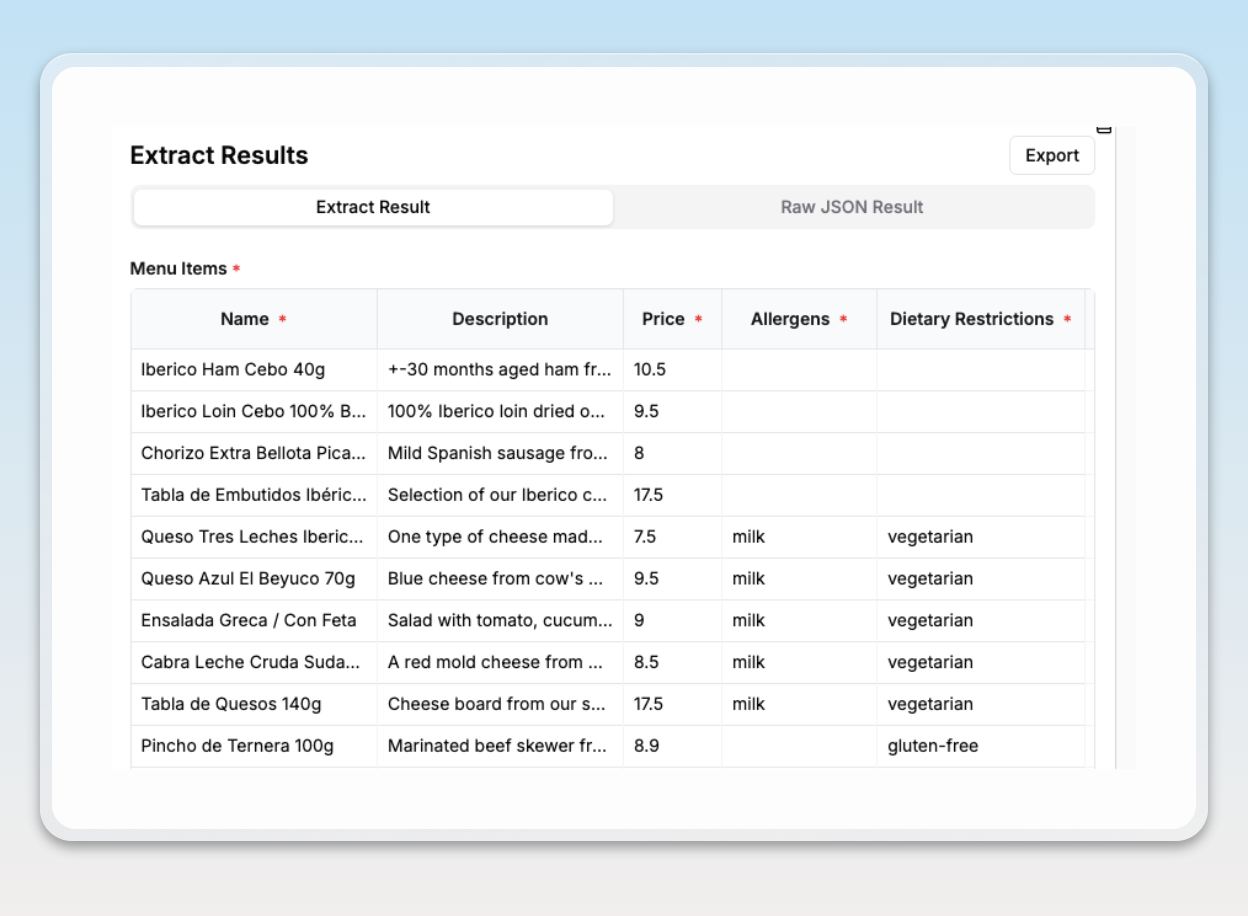
Section titled “Publish Configuration and Run Extraction”Finally, you can save the extraction configuration and run an extraction job. In this example, our extraction results end up being the following: