

Billing and Usage
Guide on managing your LlamaParse billing, usage tracking, and subscription plans.
LlamaParse is a subscription-based service. You can manage billing and usage in your LlamaParse dashboard under Settings → Organization, or from Billing in the sidebar. In Settings, the Organization group is labeled with your organization’s name. For credit costs per product, see the Pricing page.
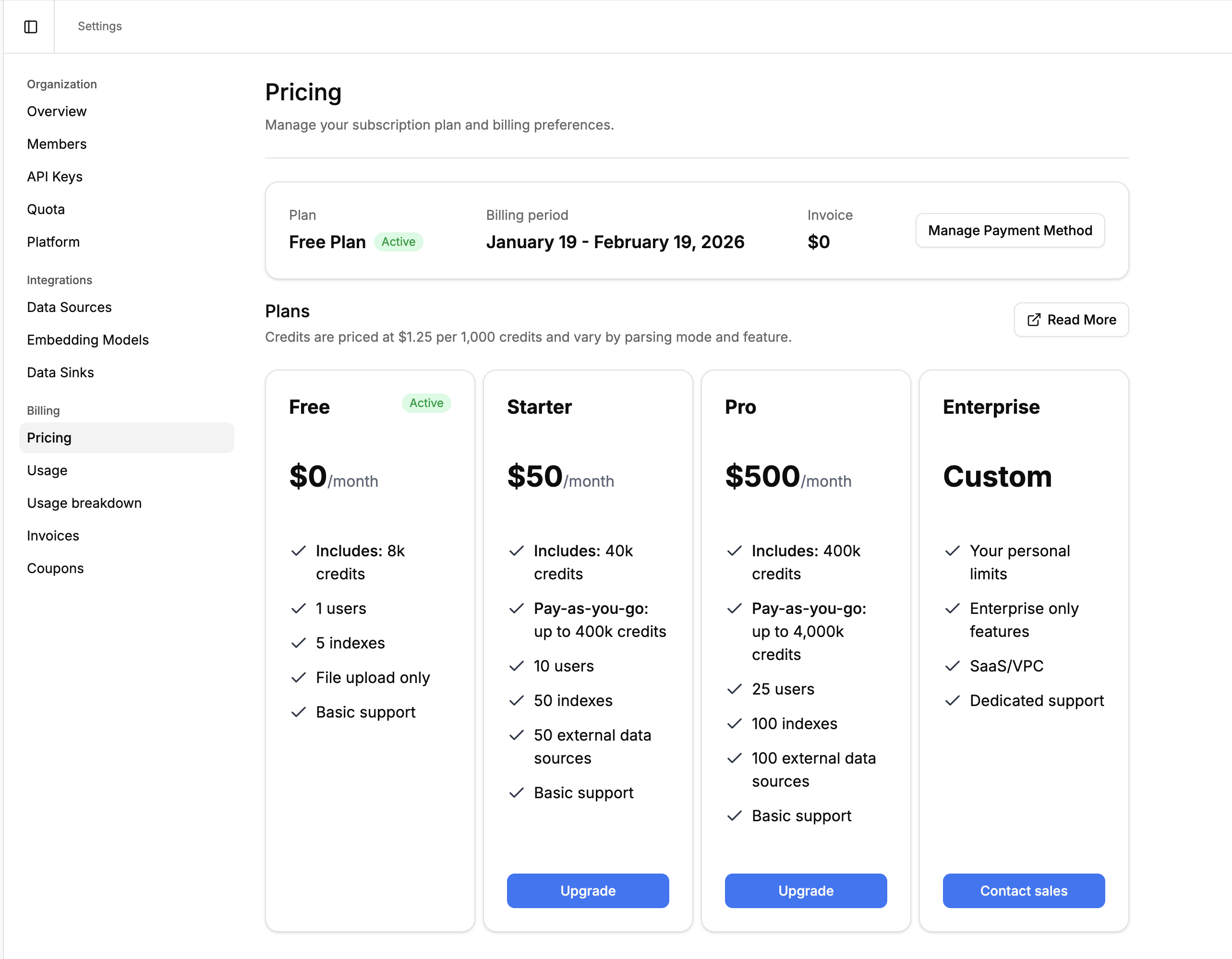
| Free | Starter | Pro | Enterprise | |
|---|---|---|---|---|
| Monthly credits | 10,000 | 40,000 | 400,000 | Custom |
| Price | $0/mo | $50/mo | $500/mo | Contact sales |
| Concurrent Parse jobs | 5 | 5 | 20 | 100 |
| Concurrent Extract jobs | 5 | 5 | 20 | 100 |
| Stored files per project | 10,000 files / 10 GB | 50,000 files / 50 GB | 100,000 files / 100 GB | Unlimited |
| Directories per project | 20 | 40 | 400 | Unlimited |
| Files per directory | 2,000 | 2,000 | 20,000 | Unlimited |
| Support | Community | Priority | Dedicated |
All plans include access to every product (Parse, Extract, Classify, Split, Index). Plans differ in credit allocation, how many jobs run at once, storage limits, and support level. API request-rate limits are the same on every plan; see Rate limits.
Storage limits
Section titled “Storage limits”The stored-files limit counts retained files only — files stored without an expiration. Ephemeral files (uploaded with an expiration or retention period, or in ephemeral directories) don’t count toward it. When a project is at its limit, uploading new retained files returns a 402 error; existing files are never deleted, and ephemeral uploads keep working. To free up room, delete files you no longer need or upload files ephemerally. Retained storage is also billed daily — see Storage pricing.
Directory limits
Section titled “Directory limits”Each project can hold a set number of directories, and each directory a set number of files. When a project is at its directory limit, creating another directory returns a 402 error. When a directory is full, adding another file to it returns a 402. Deleting directories or files you no longer need frees up room.
Upgrading
Section titled “Upgrading”To upgrade your plan:
- Go to Settings → Organization → Plan & Credits and click Manage plan.
- Select the plan you want and enter payment details.
- Your new plan takes effect immediately.
Downgrading
Section titled “Downgrading”You can downgrade to the Free plan at any time. Go to Settings → Organization → Plan & Credits, click Manage plan, and choose Downgrade on the Free plan.
What Happens When Credits Run Out
Section titled “What Happens When Credits Run Out”Behavior depends on your plan:
- Paid plans (Starter, Pro): Pay-as-you-go usage is enabled by default. When your included credits are exhausted, you can continue using the platform and additional credits are billed at the standard rate ($1.25 per 1,000 credits), up to the spending limit described below.
- Free plan: When credits are exhausted, API requests that consume credits will return a
402error (“You’ve exceeded the maximum number of credits for your plan”). Credits reset at the start of your next billing cycle. - Enterprise plans: Overage behavior is configured per contract. Contact your account manager for details.
Controlling Overage
Section titled “Controlling Overage”On paid plans, an organization admin chooses what happens once included credits run out, under Settings → Organization → Plan & Credits → Overage:
- Pause jobs: new jobs are refused as soon as your included credits are gone. Nothing beyond your subscription is charged.
- Keep going, bill me for extra usage: usage continues at the standard rate, with an optional monthly spending limit.
Set a spending limit in whole dollars, up to the maximum your plan allows. It caps usage charged beyond your included credits, not your total bill — your subscription is invoiced separately. While included credits remain, the limit has no effect.
Once the limit is reached, requests that consume credits return the same 402 error as an exhausted Free plan. Work already running when the limit is reached still finishes and is still billed, so an invoice can exceed the limit — by more if you start a large job shortly before reaching it. Raise or remove the limit to resume immediately.
Monitoring Usage
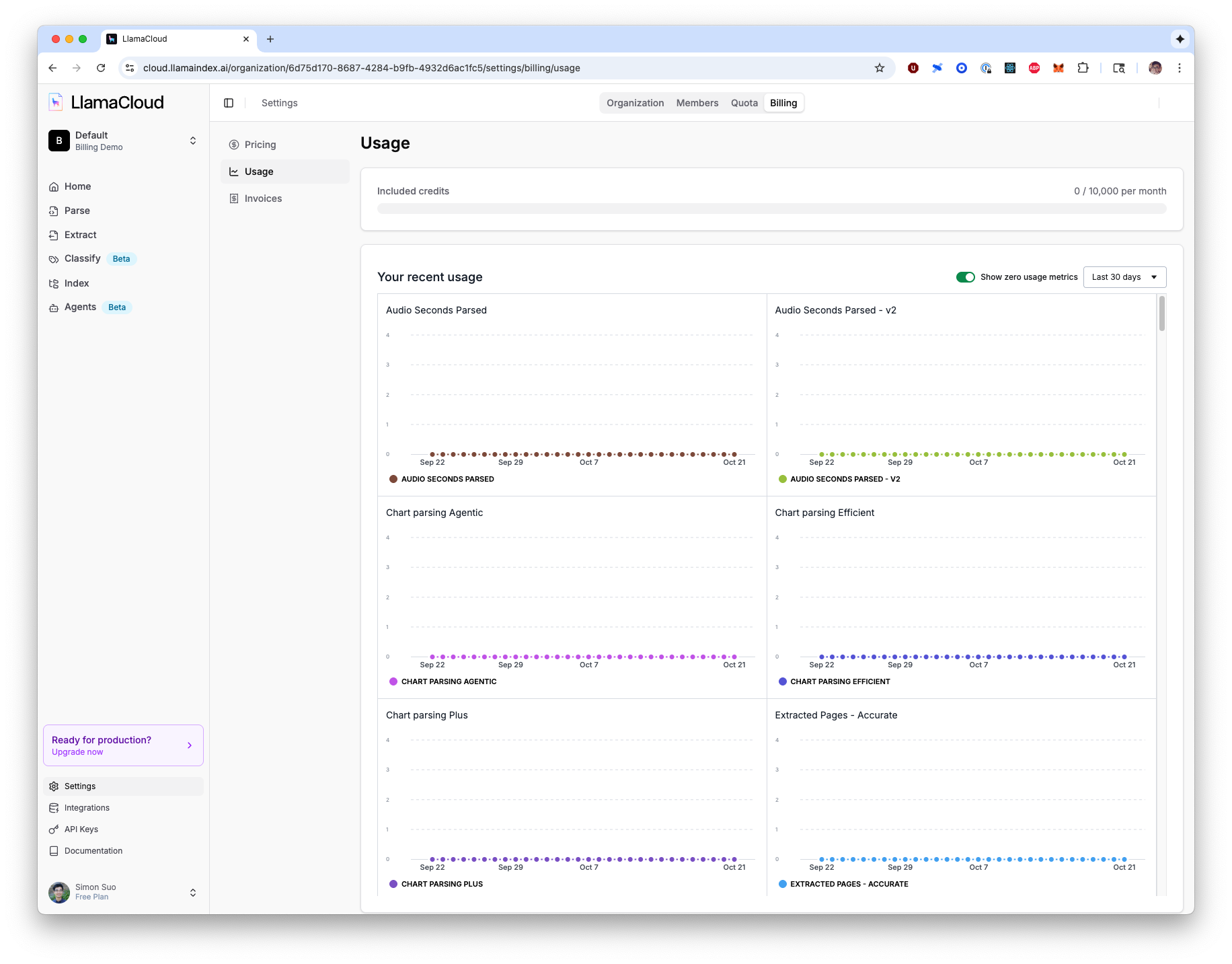
Section titled “Monitoring Usage”Go to Settings → Organization → Usage to view detailed usage analytics:
- Current credit usage against your monthly quota
- Usage breakdown by product and mode (Parse, Extract, Classify, etc.)
- Historical usage trends with interactive charts
You can also access real-time usage data via the API for programmatic monitoring.
Credits for a single job
Section titled “Credits for a single job”To see what one document cost, add expand=usage when you fetch a finished job. Credits read null for a short window after a job completes, until billing records them.
- Parse —
GET /api/v2/parse/{job_id}?expand=usagereturnsjob.usage.credits. See Credits billed for a job. - Extract —
GET /api/v2/extract/{job_id}?expand=usagereturnsusage.credits, split intoextract_creditsand theparse_creditsof the parse job backing it. See Check the credits a job billed.
To break usage down by team, environment, or customer, tag requests with Usage Tags (Enterprise).
For tips on reducing credit usage, see Cost Optimization Strategies on the Pricing page.
Invoices
Section titled “Invoices”Your invoice history is in Settings → Organization → Plan & Credits, under Invoices (Receipts on pay-as-you-go). Enterprise contract plans have a separate Invoices page under Settings → Organization. You can find:
- All past invoices with dates and amounts
- Invoice status (Draft, Issued, Paid)
- Detailed billing periods
- Payment method management
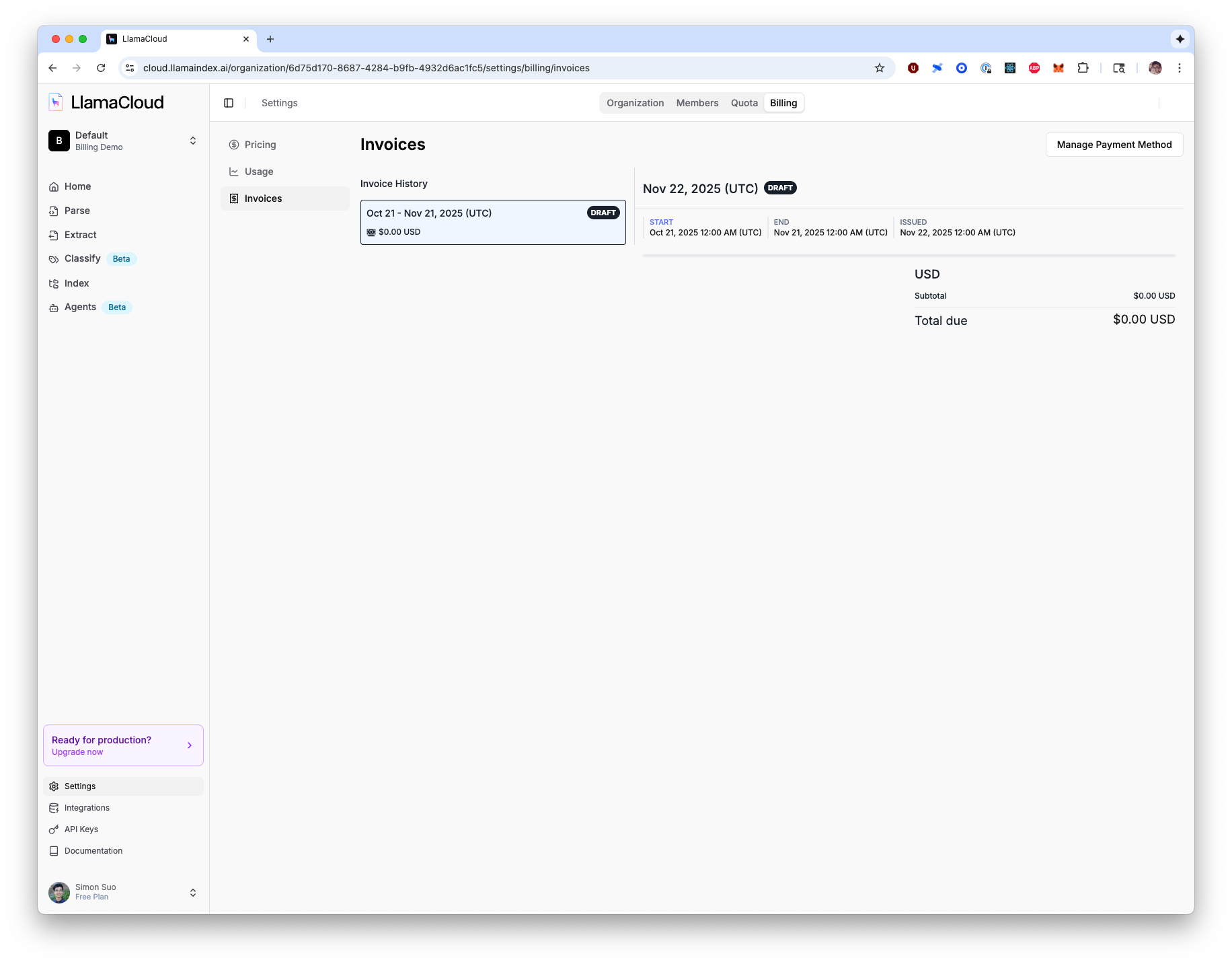
Each invoice can be downloaded or viewed in detail, showing exact breakdowns of your charges for the billing period.