

Getting Started
Introduction to LlamaExtract, a tool for extracting structured data from unstructured documents, available as a web UI, Python SDK, and REST API.
Overview
Section titled “Overview”LlamaExtract provides a simple API for extracting structured data from unstructured documents like PDFs, text files, and images.
LlamaExtract is available as a web UI, Python SDK and REST API.
Is LlamaExtract right for me?
Section titled “Is LlamaExtract right for me?”LlamaExtract is a great fit for when you need:
- Well-typed data for downstream tasks: You want to extract data from documents and use it for downstream tasks like training a model, building a dashboard, entering into a database, etc. LlamaExtract guarantees that your data complies with the provided schema or provides helpful error messages when it doesn’t.
- Accurate data extraction: We use the best in class LLM models to extract data from your documents.
- Iterative schema development: You want to quickly iterate on your schema and get feedback on how well it works on your sample documents. Do you need to provide more examples to extract a certain field? Do you need to make a certain field optional?
- Support for multiple file types: LlamaExtract supports a wide range of file types, including PDFs, text files, and images. Let us know if you need support for another file type!
Quick Start
Section titled “Quick Start”Using the web UI
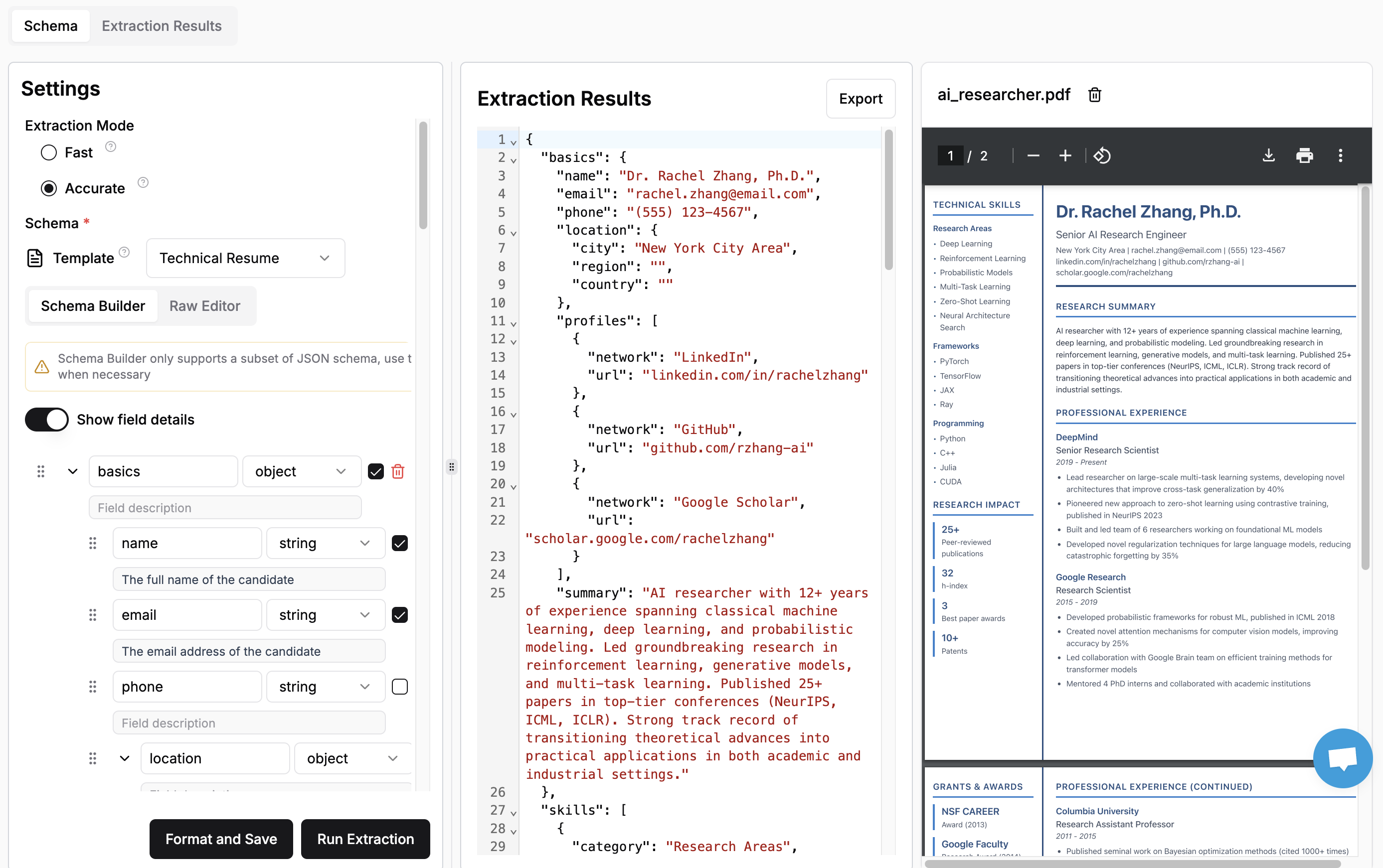
Section titled “Using the web UI”The simplest way to try out LlamaExtract is to use the web UI.
Just define your Extraction Agent (schema and settings), drag and drop any supported document into LlamaCloud and extract data from your documents.
Get an API key
Section titled “Get an API key”Once you’re ready to start coding, get an API key to use LlamaExtract with the Python SDK.
Use our libraries
Section titled “Use our libraries”We have a library available for Python and Typescript. This is the recommended way to use LlamaExtract for running extraction jobs at scale. Check out the SDK quick start to get started.
REST API
Section titled “REST API”If you are using a language other than Python, you can use the REST API.